
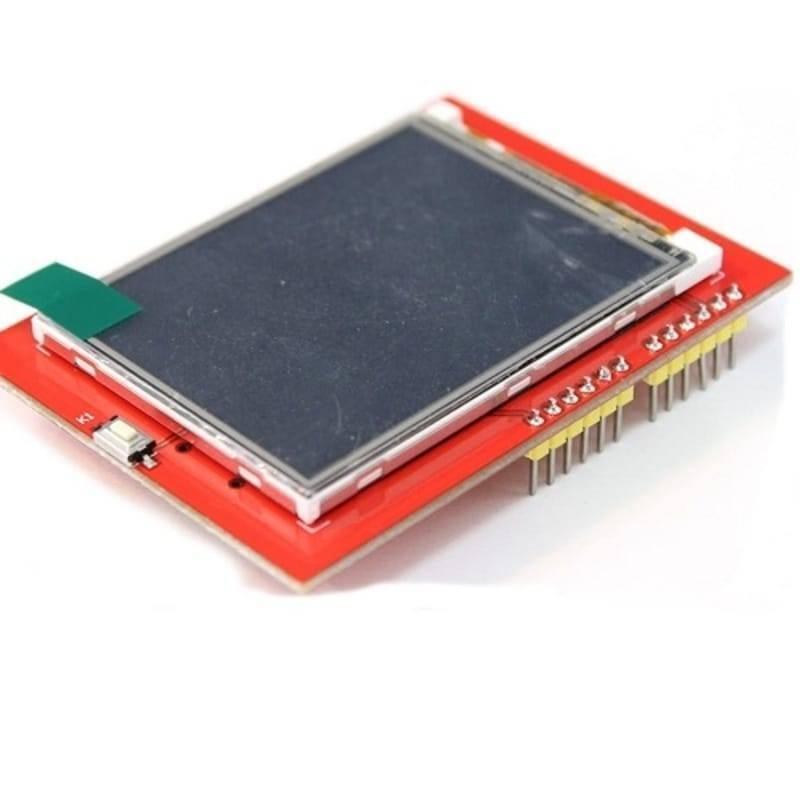
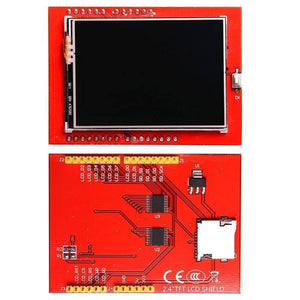
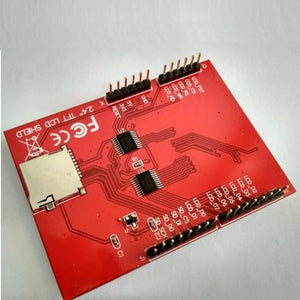
2.4 Inch TFT LCD Shield For Arduino ESP32 Solar Inverter - shown from the front with a black display and from the back with pin headers and an SD card slot.
2.4 Inch TFT LCD Shield For Arduino ESP32 Solar Inverter - a red rectangular circuit board featuring a black display screen and a row of gold pins.
2.4 Inch TFT LCD Shield For Arduino ESP32 Solar Inverter - a close-up angled view of the red circuit board with a white display and yellow header pins.
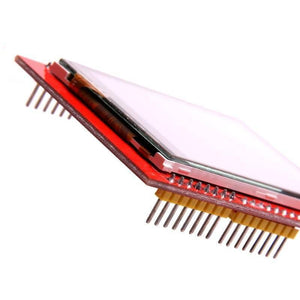
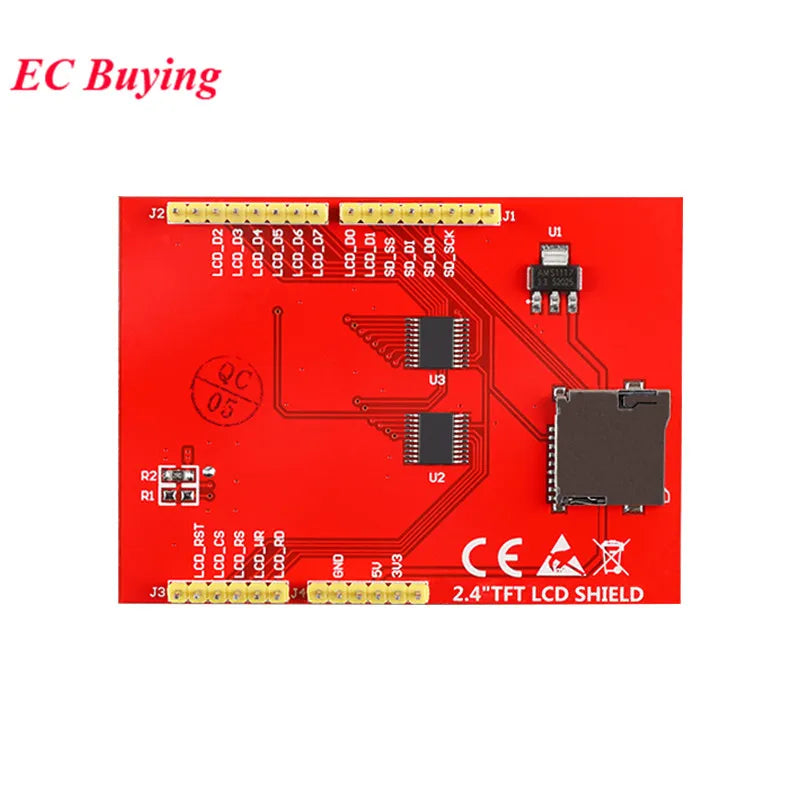
2.4 Inch TFT LCD Shield For Arduino ESP32 Solar Inverter - the red bottom side of the PCB with an SD card slot, two integrated circuits, and header pins.
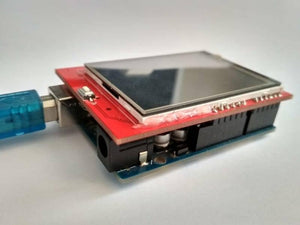
2.4 Inch TFT LCD Shield For Arduino ESP32 Solar Inverter - shown as a red display module plugged into a blue microcontroller board with a USB cable attached.
-25%
2.4 Inch TFT LCD Shield For Arduino ESP32 Solar Inverter - shown from the front with a black display and from the back with pin headers and an SD card slot.
2.4 Inch TFT LCD Shield For Arduino ESP32 Solar Inverter - a red rectangular circuit board featuring a black display screen and a row of gold pins.
2.4 Inch TFT LCD Shield For Arduino ESP32 Solar Inverter - a close-up angled view of the red circuit board with a white display and yellow header pins.
2.4 Inch TFT LCD Shield For Arduino ESP32 Solar Inverter - the red bottom side of the PCB with an SD card slot, two integrated circuits, and header pins.
2.4 Inch TFT LCD Shield For Arduino ESP32 Solar Inverter - shown as a red display module plugged into a blue microcontroller board with a USB cable attached.

2.4 Inch TFT LCD Shield For Arduino ESP32 Solar Inverter

Regular price Rs 2,040 Sale price Rs 1,520
SKU: B211,krt134
Log in to use Wishlist
Add to Compare

Pickup available at Digilog Electronics

Usually ready in 2 hours

2.4 Inch TFT LCD Shield For Arduino ESP32 Solar Inverter - shown from the front with a black display and from the back with pin headers and an SD card slot.

2.4 Inch TFT LCD Shield For Arduino ESP32 Solar Inverter

  • Digilog Electronics

    Pickup available, usually ready in 2 hours

    🏢 Digilog Electronics 13th the RegalStreet,
    Back side of KFC, Near Abubakar Masjid Mall Road
    Lahore
    Pakistan

    +923124002221

    Check this on google map

The 2.4 inch TFT LCD Shield Touch Screen Module For Arduino is a beautiful large touchscreen display shield with built-in microSD card connection. The 2.4 inch TFT LCD display screen has excellent vivid color contrast. This Arduino Uno TFT display is big (2.4″ diagonal) bright (4 white-LED backlights) and colorful (18-bit 262,000 different shades). 240×320 pixels with individual pixel control. TFT LCD Arduino Uno has way more resolution than a black and white 128×64 display. As a bonus, this display has a resistive touchscreen attached to it already, so you can detect finger presses anywhere on the screen.

Molecular Neuroimaging Github account – Molecular Neuroimaging

Add MCUFriend Library in arduino and run this code.

https://github.com/irfandigilog/2.4-Inch-TFT-LCD-Shield-For-Arduino


Features Of Arduino Uno 2.4 inch TFT LCD Shield:

  • 2.4 inch LCD TFT display
  • Bright, 4 white-LED backlights, on by default but you can connect the transistor to a digital pin for backlight control
  • Colorful, 18-bit 262,000 different shades
  • 4-wire resistive touchscreen
  • Spfd5408 controller with built-in video RAM buffer
  • 8-bit digital interface, plus 4 control lines
  • Uses digital pins 5-13 and analogue 0-3. That means you can use digital pins 2, 3 and analogue 4 and 5. Pin 12 is available if not using the micro SD

Specifications Of Arduino Uno Touch Screen:

  • 240*320 pixels resolution
  • 5v supply voltage
  • 5V compatible, use with 3.3V or 5V logic
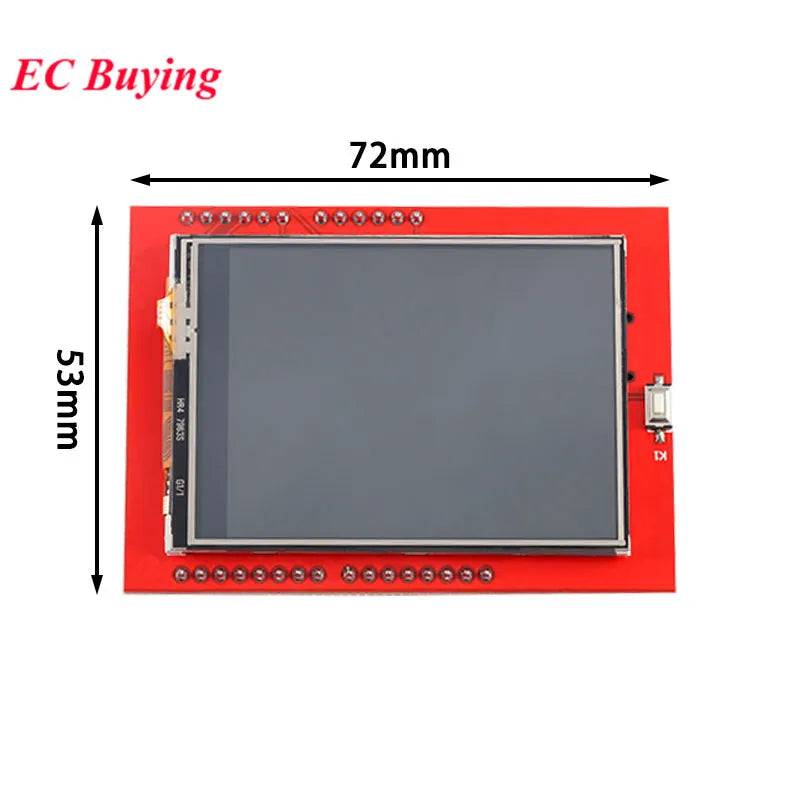
  • Size: 71 x 52 x 7mm
  • Arduino pins 2, 3, A5, and A4 are free and you can use them to connect this shield.

How To Use:

As with all Arduino Shields, connecting to the Arduino is simply a matter of plugging the shield in. Take care to align the pins correctly, and ensure the bottom of the shield does not make contact with the Arduino USB port.

Package Includes:

  • 1 x 2.4" TFT LCH Shield For Arduino Uno

Downloads:
  1. SPFD5408 LCD Controller Datasheet

  2. Mcufriend 2.4″ LCD TFT libraries and avoid white screen setup

Arduino Uno 2.4 Inch Tft Lcd Shield

Debugging Instructions:

1    Adafruit have disabled old model LCD's support so please install Adafruit_GFX  older version 1.5.3 from Sketch--> Include Libraries --> Manage Libraries.

2 Upload this code into Arduino and run, It will just fill colors in the screen and you will be able to see lcd as working.


#include <Adafruit_GFX.h>    // Core graphics library
#include <Adafruit_TFTLCD.h> // Hardware-specific library
#include <SPI.h>

// Code By Sir Irfan HALLROAD.ORG

#define LCD_CS A3 // Chip Select goes to Analog 3
#define LCD_CD A2 // Command/Data goes to Analog 2
#define LCD_WR A1 // LCD Write goes to Analog 1
#define LCD_RD A0 // LCD Read goes to Analog 0
#define PIN_SD_CS 10 // Adafruit SD shields and modules: pin 10

#define LCD_RESET A4 // Can alternately just connect to Arduino's reset pin

// Assign human-readable names to some common 16-bit color values:
#define  BLACK   0x0000
#define BLUE    0x001F
#define RED     0xF800
#define GREEN   0x07E0
#define CYAN    0x07FF
#define MAGENTA 0xF81F
#define YELLOW  0xFFE0
#define WHITE   0xFFFF

Adafruit_TFTLCD tft(LCD_CS, LCD_CD, LCD_WR, LCD_RD, LCD_RESET);

void setup(void) {
  Serial.begin(9600);
  Serial.println(F("TFT LCD test"));

#ifdef USE_ADAFRUIT_SHIELD_PINOUT
  Serial.println(F("Using Adafruit 2.4\" TFT Arduino Shield Pinout"));
#else
  Serial.println(F("Using Adafruit 2.4\" TFT Breakout Board Pinout"));
#endif

  Serial.print("TFT size is "); Serial.print(tft.width()); Serial.print("x");
  Serial.println(tft.height());

  tft.reset();
  tft.begin(0x9341);
}
void loop()
{
  tft.fillScreen(BLUE); delay(1000);
  tft.fillScreen(RED);  delay(1000);
  tft.fillScreen(GREEN);delay(1000);
  tft.fillScreen(BLUE);delay(1000);
  tft.fillScreen(CYAN);delay(1000);  
  
    
    }
 

Arduino Uno 2.4 Inch Tft Lcd Shield

Frequently Bought Together

Arduino Uno Proto Shield With Syb-170 Mini Breadboard - a white breadboard, two push buttons, two LEDs, and pin headers on a blue circuit board. Arduino Uno Proto Shield With Syb-170 Mini Breadboard - a blue circuit board with a white mini breadboard, two push buttons, and an LED.
Log in to use Wishlist
Add to Compare

Arduino Uno Proto Shield With Syb-170 Mini Breadboard

Sale priceRs 410
Micro USB Arduino Uno R3 - a blue rectangular microcontroller board featuring a micro USB port, a DC power jack, a reset button, and various pin headers. Micro USB Arduino Uno R3 - shown in a close-up angle, featuring a blue circuit board with a reset button, micro USB port, power jack, and pin headers.
Sold out
Log in to use Wishlist
Add to Compare

Micro USB Arduino Uno R3

Sale priceRs 1,570
Arduino Mega 2560 R3 - held in a hand, featuring a blue circuit board with ports and buttons, accompanied by a blue USB cable. Arduino Mega 2560 R3 - shown with a blue USB cable, a top-down view of the board, and a diagram labeling its ports, pins, and power input.
-21%
Log in to use Wishlist
Add to Compare

Arduino Mega 2560 R3

Regular price Rs 3,800 Sale priceRs 3,000
HLW8012 High Precision Energy Metering Module Arduino Energy Monitoring - a red circuit board with a shunt resistor, input/output terminals, and a five-pin header interface. HLW8012 High Precision Energy Metering Module Arduino Energy Monitoring - a red circuit board with a chip and two separate green screw terminal connectors on a white background.
-26%
Log in to use Wishlist
Add to Compare

HLW8012 High Precision Energy Metering Module Arduino Energy Monitoring

Regular price Rs 1,440 Sale priceRs 1,060