


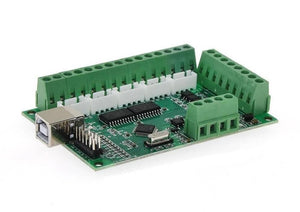
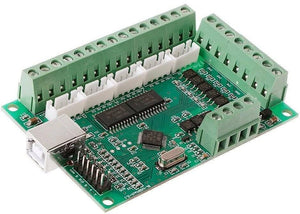
Mach3 USB CNC Interface Board BL-usbmach-V2.0 Mach3 CNC Board
Frequently Bought Together
Customers building this project usually buy these together.
Pickup available at Digilog Electronics
Usually ready in 2 hours

Mach3 USB CNC Interface Board BL-usbmach-V2.0 Mach3 CNC Board
5-Axis 100KHz USB CNC Controller Card for Mach3 lets you use any Windows Computer to be used as CNC Machine Controller. Previously with LPT Port-Based Cards, the user was limited to use only older computers which had LPT Port.
With this New CNC Control Board, you can even run Mach3 on a Windows Tablet which can give a more compact and professional look to your CNC Machine.
Technical Specifications
- PWM output is available ( ( photocoupler separated,5V) ,can be used to control the spindle speed controller that controlled by PWM.
- Four output ports are available, can be connected to relay modules with photocouplers, to control flood and mist, etc. Mach3 USB interface board BL-UsbMACH-V20 manual
- It can be connected to stepper motor drivers using common anode or common cathode input connection.Note: stepper motor drivers should have photocouplers for input.
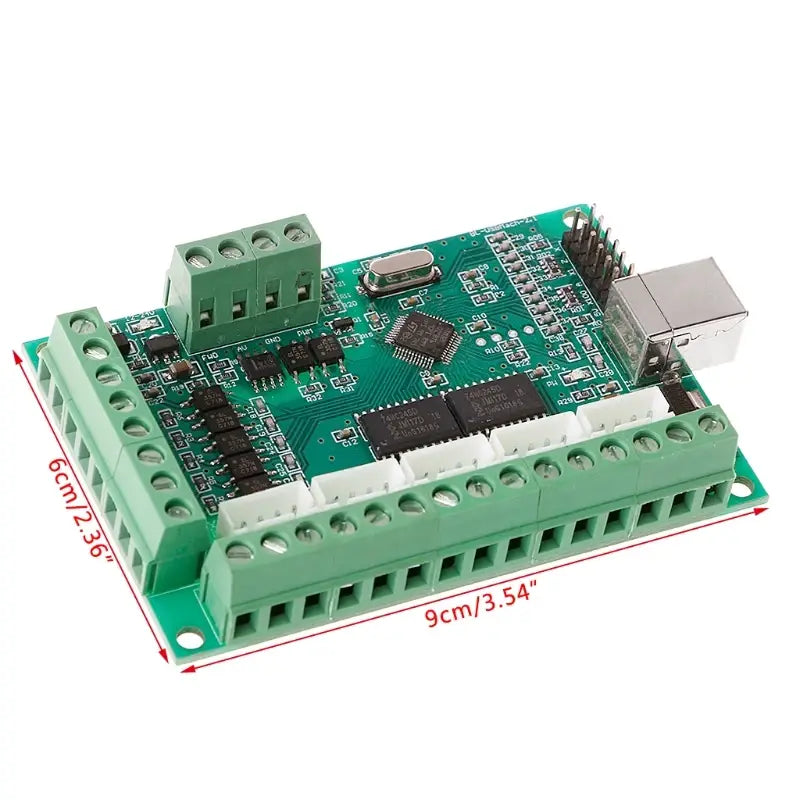
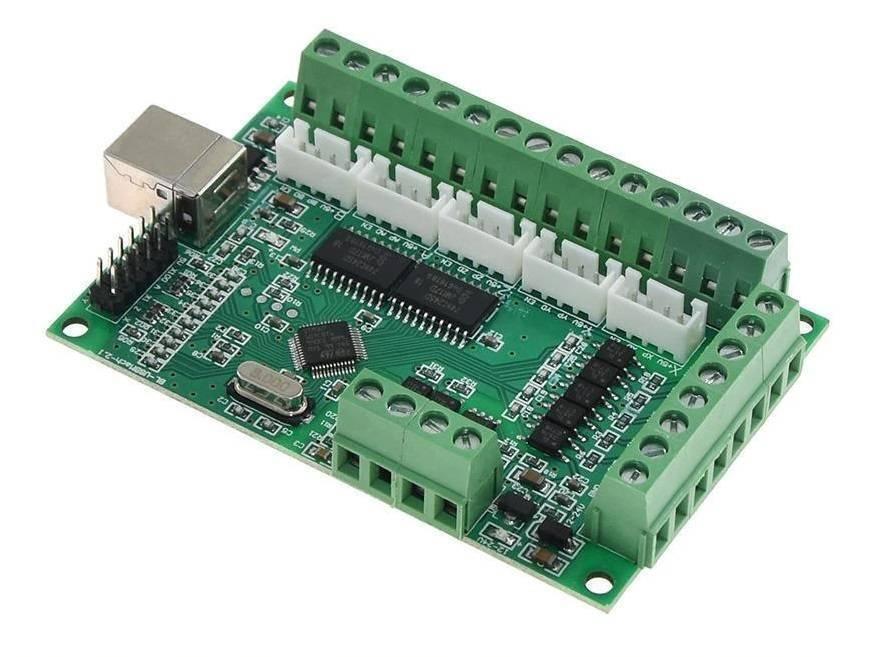
- Also, provide 5 axis XH2.54-4P 2.54mm Socket Connector ,make it is easy to connect to the stepper motor drivers. stepper motor drivers.
- All the port names are printed on board, Easy to be used
Specifications:
- Part Number: BL-USBMach V2.0
- No of Axis: 5 (you can connect 5 stepper motor drives or servo drives)
- Maximum step-pulse frequency: 100KHz (suitable for smooth servo or stepper motion)
- Automatic probe tool Support: Yes
- Emergency input: Yes
- Limit switches: Yes (5 general-purpose inputs, you can connect the limit switch, estop switch, probe switch, back to zero and other device)
- Electronic handwheel Support: Yes
- Optical Isolation between USB Side Control and External inputs: Yes
- External Voltage: 12V/24V
- Spindle Control Output: Yes (0-10V output port) with Spindle Direction (FWD) output
- Isolated Outputs: 4 general-purpose isolated relay drive output interface (can drive four relays for controlling the spindle starts, forward rotating and reverse rotating, pumps and other device)
- Power Status LED: 1 Status LED (indicate Power status of the controller board)
- Size: 9x6cm / 3.54×2.36in
- Tested with the following Operating Systems:
- Windows XP (direct)
- Windows 7 64bit /32Bit (direct)
- Windows 10 (Indirect using Windows XP on VMWare)
Setup Instructions
- Step 1: Install Mach3: If you already have a Mach3 Installed, skip this step.
- Step 2: Download the USB Motion Driver BL-UsbMach-V22.dll and copy and paste the file into your Mach3 Plugins folder Example: “C:/Users/ProgramFiles/Mach3/Plugins”
- Step 3: Make sure your board is connected to the PC via USB cable. It should automatically recognize the USB device.
- Step 4: Open Mach3 and you should be prompted to select a driver. Select the “USBMach V2.0” and check “Don’t ask me again”. This will allow your board to communicate with Mach3.
- Step 5: Download the XML Mach3 Config File above by right-clicking on the link and selecting “save as”. Save the Mach3Mill.xml file in your Mach3 root folder.
Note:
- An additional power source is required for the limit switches and spindle portion of the board.
- This Interface board is not compatible with Windows 10 however you can install virtual OS using VMWare to install Windows XP on a Windows 10 Machine. To learn more about this process read this article
Documents and Downloads
- Download Mac3Mill.xml file
- Download BL-UsbMach-V22.dll
- User Guide PDF Document
User manual:
- Download Mach3 software, download and install instructions Click Me For Software
- Unload folder and install Mach3 software.
- Copy the entire Mach3 directory in the floppy file to the Mach3 directory installed on your machine.
- Plugin your computer via USB, no driver required.
- Open Mach3Mill software and select BL-USBMach-V2.2 Card.
- Pressing reset, the X, Y, Z, A, B controllers will see the corresponding pulse output.
Package Includes
- 1x 5-Axis 100KHz USB CNC Controller Card for Mach3 – BL-USBMACH V2.0 (QC-OK/Tested)